

Classic and Graphical views
Play Vesper City from the menu and pages, or walk your district's street and step into its buildings. How the two views work and how to switch.
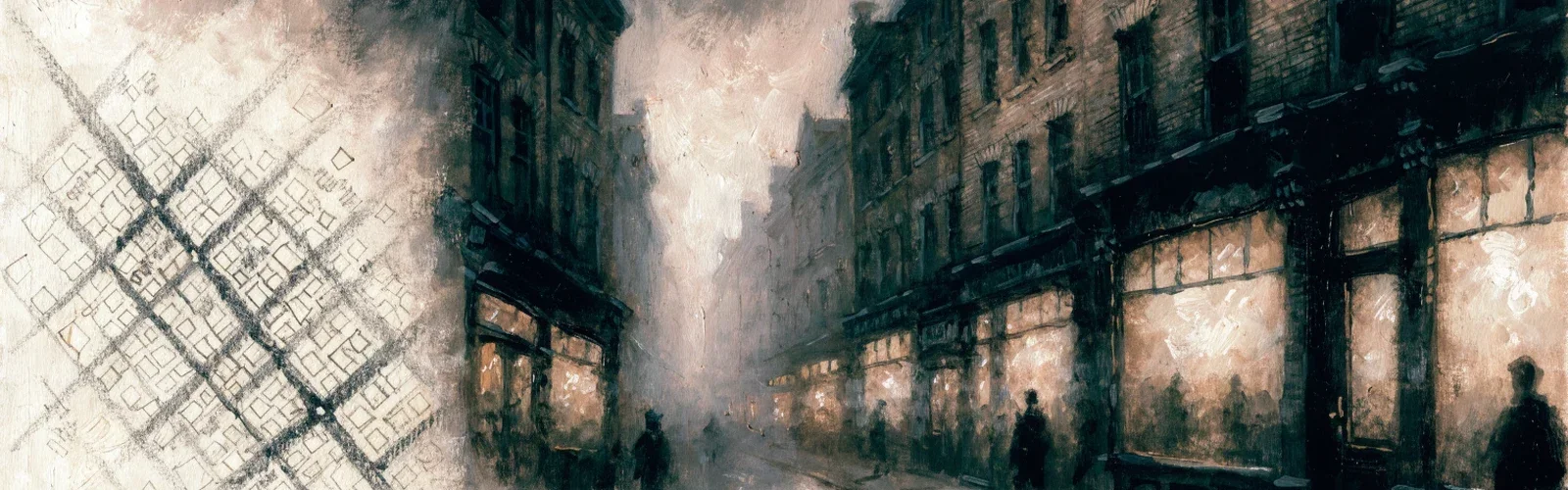
There are two ways to see Vesper City, and you can swap between them whenever you like.
Two views, one game
- Classic view: the menu and pages. Everything is one click away in the menu.
- Graphical view: your district as a street of buildings. Walk along it and click a building to go in.
Every feature works in both. A building opens exactly the same page as its menu entry, with the same rules and the same buttons, so nothing is lost whichever view you choose. The district map (see Districts and travel) belongs to both views.
Switching views
- In the header: the small icon beside the theme switch flips between the two. Switching to Graphical takes you straight to your desk.
- In Account: the "How the city looks" panel has a Classic / Graphical choice.
Your choice is remembered for your account.
The district street
In the Graphical view your Front Page is the street of the district you are standing in. You can also open it from City → District street. With the full screen on, your home is your desk instead, and the street is one click away: your fedora, the door or the Street tab.
- Walk the street by scrolling, dragging or using the arrows. On a phone, swipe.
- The street shows the district's danger and its landmark, and says "You live here" in your home district.
- It follows the game clock: day, dusk and night.
- On the road between districts there is no street to stand in; it waits for you at the other end.
- In jail, in hospital or on the road, the Front Page shows what you can still do instead.
The newspaper Front Page is still a click away from the street.
Painted neighbourhoods
With the full screen on, every district is a painted neighbourhood seen from above, with its streets, a square and every building of its street standing on it. Hover a building (or reach it with Tab) and it lights up with its name; click it to go in, right-click it or press ⚡ for its quick actions. Live signs and the people about stand in the doorways, just as on the street. The two fenced plots are empty for now: something's coming. The light follows the game clock: day, dusk and night. On a phone the neighbourhood is a band you drag; tap a building to see its card (go in, its quick action, next door), and tap again to go in. From the city map you can also look around any other district: you see its buildings but can't go in until you travel there (the tram or your car). A district whose painting isn't ready shows its building list instead.
Inside the buildings
With the full screen on, these buildings open into a painted room, seen from above with the near wall cut away: the Gym, City Hall, the Police station, the Bank, your lodging (in your home district) and your workplace. Point at an object to see its name, or use the row of buttons along the bottom (it works with Tab and screen readers too). Click one and the building's own page slides in at the right place, with the same buttons and rules as always. The door takes you back to the street.
- Gym: the heavy bag (Strength), the speed ball (Speed), the skipping rope (Dexterity), the sparring dummy (Defense) and the membership board (the gyms in town).
- City Hall: the notice board (leaderboards), the mayor's desk (the Government) and the honours wall (medals).
- Police station: the wanted posters (bounties), the duty desk (who's in jail) and, while you're locked up, your cell door.
- Bank: the teller window (deposit and withdraw), the vault door (your vault) and the statement ledger.
- Your lodging: the bed (home comforts that keep you happy), the mirror (what you wear) and the letter rack (your mail).
- Your workplace: the place your career works (the precinct, the hospital ward, the casino floor, the pier warehouse or the newsroom; a general workshop if you have no job yet), with the boss's desk (work a shift) and, once your rank opens it, the workbench.
- Post office: the counter (write a letter), the post boxes (your mail), the mail sack (letters you sent), the filing drawers (letters you kept) and the parcel shelf (parcels waiting for you).
- Speakeasy: the bar (a drink at the Blind Pig), the mirror behind it (how you feel), the back booth (stronger stuff) and the bandstand (nights out across town).
- Newsstand: the paper rack (The Evening Racket), the classifieds board, the bundles of old papers (back issues), the advertising board and, if you write or draw for the paper, the back office (the newsroom).
- Back alley: the crime board under its lamp (pick a crime, or repeat your last one) and the Black Market dealer's door.
- Hospital (visiting): the ward doors (who's in the hospital), the waiting benches (locals in the wards), the dispensary (a healing item from your inventory) and the flower stand (write a get-well letter). Patients see their ward instead.
- Bazaar hall: the market stalls (what players are selling), the clerk's counter (sell something), your own stall, the shopping baskets (your basket, from any district) and the dispatch hatch (parcels on their way to you).
- College: the blackboard (the courses on offer), your desk while you study a course, and the diploma wall once you have graduated from one.
- Gang HQ: the rogues' board (gangs in town); in a gang, the card table (your family), the safe (the treasury) and the city map (gang wars); without one, the writing desk (found your own).
- Housing: the shop window (homes and businesses for sale where you stand), the key board (what you own), the lettings board (homes for rent), the rent ledger (your tenants, if you own property) and the drafting table (home upgrades).
- The Herbalist (Chinatown): Madame Wei's counter, the herb drawers (a remedy for your injuries), the simmering pot (a hangover cure) and the tea table (her tonic, one cup a day).
- The Social Club (Little Sicily): the card table (Family contracts), Enzo's booth (Enzo Benedetto and his terms) and the recruiting board.
- The union hall (Ironworks): the time clock (the union shift), Big Tom's lectern, the strike bills (while a strike is called or under way) and the union ledger (your trade: jobs and shifts).
- The Fence (Old Harbor): Harry's scales (sell him your loot), the chalkboard (this week's hot list) and Harry's desk (what he can still pay you today).
- The Shipment pier (Docklands): the crates (on the ship this week), the harbour master's desk (Captain Elin Marsh) and the ship's clock (how the ship works).
- The Courthouse (Capitol Hill): the judge's bench (Judge Augustus Pike), the clerk's files (clear an arrest from your record) and the dock (who's in jail).
A landmark's room opens in its own district, once you reach the landmark's level, and while you're free; otherwise its door opens the landmark's page, which tells you why. From a cell, Judge Pike's lawyer and envelope stay on the visiting table.
In jail or in hospital the full screen takes you to your cell or your ward instead, and it only shows what you can still do inside. In the cell: the cell door (bribe the judge, or let friends help), the barred window (a jailbreak), the dumbbells (the jail gym), the mailbags (sew a shift), the visiting table (Judge Pike's lawyer or an envelope, when the Courthouse can act for you) and the cells across the corridor (who else is inside). In the ward: the doctor's trolley (pay a private doctor), the medicine cabinet (a healing item), the other beds (who else is in), the bedside newspaper and the get-well cards (your mail). There is no door: you leave when your time is up, or when you pay. The button at the top opens the Front Page.
The light follows the game clock (day, dusk and night); the light button picks another, and this device remembers it. On a phone the room fills the screen: drag it sideways and tap a gold pin. Where to? lists the room's objects and the other rooms on your street. A building whose room isn't painted yet opens its page as before.
The buildings
Every district has the everyday buildings, including:
- City Hall: leaderboards, records and the Government
- Your lodging: your profile, wardrobe and home
- Bank, Gym, Post office and College
- Your workplace: shifts and the Workshop
- Police station (the jail) and Hospital
- Speakeasy, Newsstand, Bazaar hall and Back alley (crimes and the black market)
- Housing and Gang HQ
Some buildings show a live sign on the street, like how many people are in jail in that district. Each district also has its own special buildings, and its landmark. A building whose feature isn't open yet shows a "Coming soon" placard, never a dead end. Away from home, your lodging becomes rooms to let.
Some buildings also show their interior as a picture at the top of their pages while you are in the Graphical view.
Buildings open over the street
In the Graphical view a building usually opens as a panel over the street, so you don't leave it. It is the same page with the same buttons and rules; only the frame is different. If your browser can't do this, the building simply opens as a full page.
Quick actions
Right-click a building (long-press on a phone, or use its lightning button) for a small menu of up to two everyday actions, such as training at the gym or working a shift, or a "peek" card with no action. A quick action is the same action as on the building's page, with the same costs, limits and cooldowns. One that isn't possible right now is greyed out with the reason, never hidden. Anything that costs Gold, more than half your cash or can't be undone asks you to confirm. Landmarks show a peek only.
Bars and notes
A live strip at the top shows your bars and money. Small pop-up notes tell you when things happen. In Account you choose which kinds of note you see; being attacked and being released are always on.
Passers-by
A few real players who were active in your district recently show up as figures on the street. Click one for a small card with what their public profile shows, nothing live. You never meet a made-up person. Players in jail, in hospital or on the road are never shown, and nor are staff. If you don't want to be seen, choose Don't show me walking the streets in Account; it hides only you (see Your profile and privacy).
On a phone
On a narrow screen the Graphical view becomes an app: a compact bar at the top (level, bars, cash and Gold) and tabs along the bottom for Street, Crimes, Gym and More. More lists the rest of the menu, your inventory included. In the full screen the tabs are Desk, City, Street, Crimes, Gym and More; your inventory is also in the desk's drawer. On the street, one tap on a building shows its card at the bottom of the screen with Go in and its quick actions; a second tap on the building goes in. Your daily rounds (the gym, the bank, your workplace and the back alley) sit at the top of the street, one tap each. Tablets and desktops keep the full layout.
The everyday forms look like the things they are: the gym's training sets are iron equipment, the bank is a teller window with deposit slips, your job is a punch clock with your time card, and bail is a bond with an envelope for the judge. They work exactly as in the Classic view.
The full screen
In the Graphical view the game fills the whole screen: no website header, menu bar or footer. One slim line at the top shows your portrait and level, your four bars with their refill timers, your cash and Gold, the time and weather, your mail and notices, the radio and Where to?. Below it is your desk, and every page you open slides in as a panel over it. Classic is not affected.
Your desk and the office wall
With the full screen on, home is your office desk, seen from above. Everything on it is a way into the game: point at an object (or move to it with Tab) to see its name, and click it to open its page over the desk.
- The telephone: mail, notices and contacts. A slip shows unread mail.
- The city map: the district map.
- The Evening Racket: the newspaper.
- The ledger: the bank, properties and renting.
- The case file: your gang and its wars. It says "At war" while your gang is fighting.
- The desk calendar: events and the daily reward.
- Your keys: getting about town.
- The whisky bottle: nights out and the Blind Pig.
- The drawer: your things and what you wear.
- Your fedora: out into the street.
- The gramophone: the radio.
- The lamp: turns the light down or up (remembered on this device only).
Look up to turn to the office wall: the door (out to the street), the parcel on the mat (your daily reward), the coat stand (account, settings, the Classic view and logging out), your wanted poster (your profile and rap sheet), the chalkboard (leaderboards), the safe (the Gold Store), the bookshelf (education), the brass plaque (help and this wiki) and the trophy cabinet (medals and your record). Anything else is in Where to? or under Everything else.
Something you can't open yet stays where it is, greyed, with the reason. On a phone the desk is a tall picture with every object listed underneath, and Desk and Wall are two tabs.
Desk touches
As you play, your desk picks up a few touches of its own: a brass nameplate at level 10, a gold fountain pen at level 25, a cedar cigar box at level 50 and a gilded lamp at level 100. They are earned by playing only, never sold, and they change only how the desk looks. The trophy cabinet lists them.
Where to?
Where to? (the button at the top right, or Ctrl+K, Cmd+K on a Mac) lists every place you can go right now. Start typing to narrow it down, use the arrow keys to choose and Enter to go. Places you haven't unlocked yet, or that jail, hospital or the road closes, aren't listed.
The radio
The Graphical view has a radio of its own: your music, whatever you are doing. Pick a station (Vesper Nights, cinematic, or The Speakeasy, jazz and swing), play or pause, skip, shuffle, repeat a track, pick one from the list, and set the volume or mute it. It starts on your first click (browsers don't allow sound before that), keeps playing while pages open over the street, and remembers your choices for your account. The music never tells you anything about the game: no jingles, no alerts. The tracks are licensed under the Pixabay Content License and are credited in the list.
Tips
- Try the Graphical view after a trip: each district has its own special buildings.
- Prefer speed? Classic and the Graphical view lead to the same pages.
- Walking into the Police station is the quickest way to check on friends in jail.